 Accessible Shopfront
Why accessibility matters for your business
By the end of this step: you will know who an accessible website helps, how many people that is, and where the law fits in.
The short version
- An accessible website is one that people with disability can use.
- That is a lot of people. About one in five Australians has disability.
- The same changes help older people, phone users and people in a hurry.
- Laws in Australia and other places deal with disability discrimination. This course explains good practice. It is not legal advice.
What accessibility means
Web accessibility means building a website so that people with disability can use it.[1] They can find what they need, read it and act on it.
Think of a ramp at a shop door. It lets a wheelchair user in. It also helps a parent with a pram and a courier with a trolley. A good website works the same way.
Who it helps
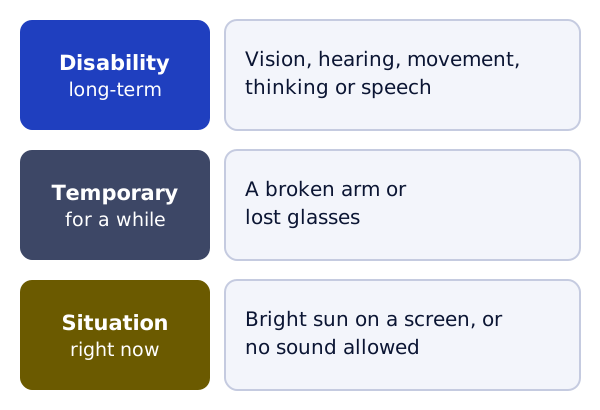
W3C is the group that sets the main web standards. Its guide lists the kinds of disability that affect how people use the web. They include hearing, sight, movement, speech, and how people think and learn.[1]
The same work also helps people without disability.[1] For example:
- Someone with a broken arm, or who has lost their glasses[1]
- Someone reading a phone in bright sun, or who can't play sound right now[1]
- An older person whose eyes or hands have changed with age[1]
- Anyone using a small screen, like a phone or a watch[1]
How many of your customers
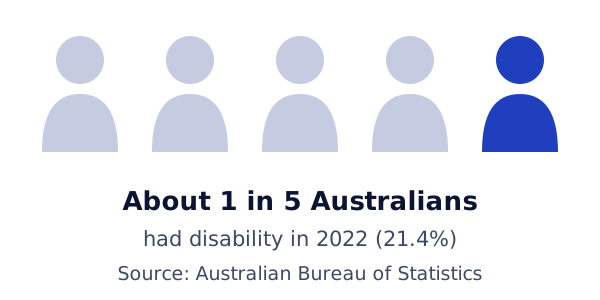
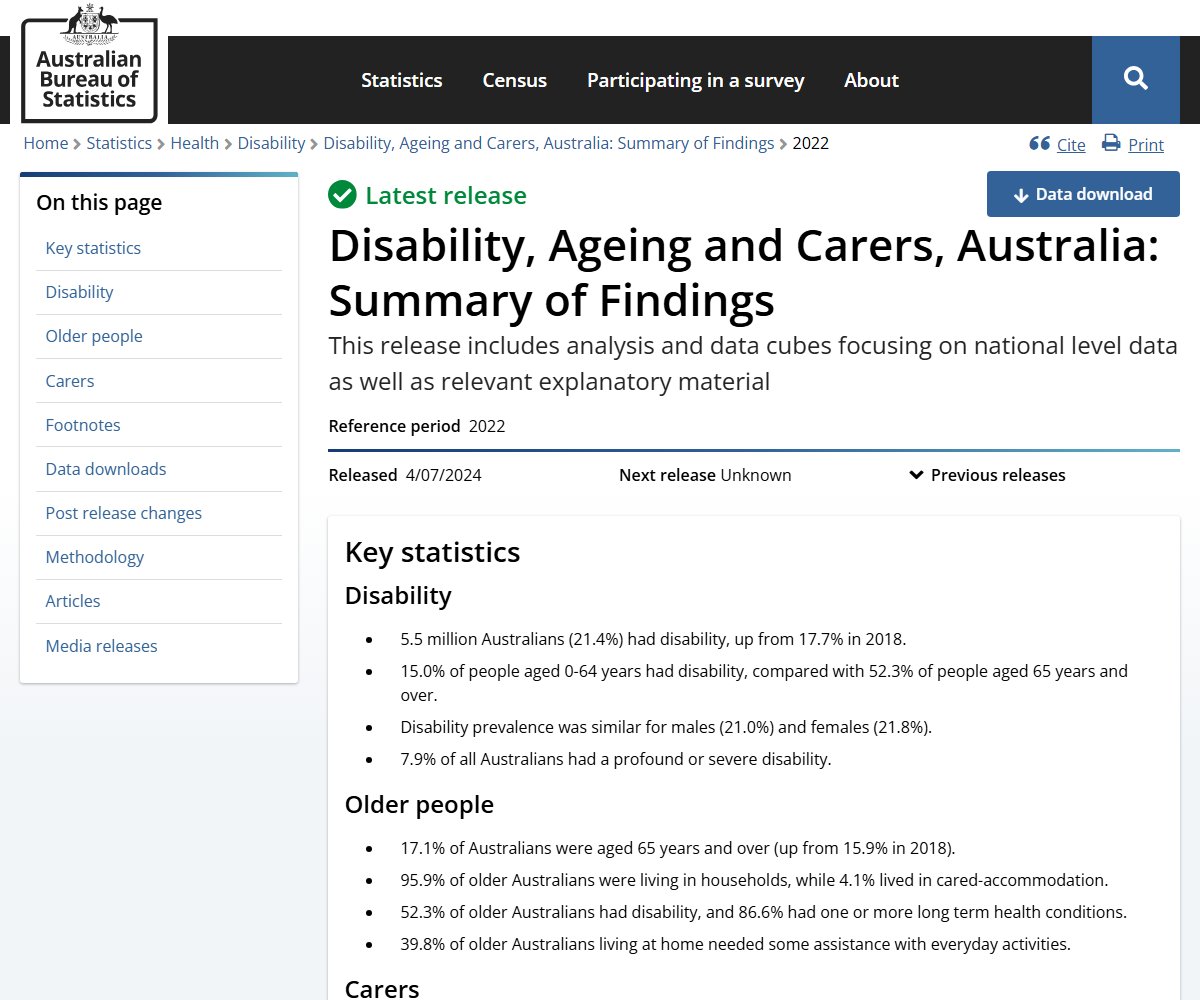
The Australian Bureau of Statistics (ABS) runs a big national survey about disability. In 2022, 5.5 million Australians had disability. That was 21.4% of people, or about one in five.[2]
Disability is more common as people get older. In 2022, 52.3% of Australians aged 65 and over had disability.[2] So if many of your customers are older, this matters even more.
W3C also points to the wider market. It says over 1 billion people around the world have disability.[3] It adds that this work often makes a site better for every visitor.[3]
Here is an example. A form with clear labels helps a screen reader user. It also helps a busy customer fill it in on a phone.
Where the law comes in
On the law, this course only tells you what exists. It does not give legal advice. Here are the main laws, with links to the official text.
- Australia. The Disability Discrimination Act 1992 is a federal law. It has a section on goods, services and facilities.[4]
- United States. The US Department of Justice has guidance on the web and the ADA. It says the Americans with Disabilities Act covers businesses open to the public.[5] It says this includes what they offer on the web.[5]
- European Union. The European Accessibility Act is an EU law on accessible products and services.[6] The services it covers include online shopping.[6]
If you are not sure what applies to your business, ask a lawyer.
How this course works
Each step covers one part of your website. It starts with a goal and ends with a short task. Do the steps in order, or jump to the one you need.
Every step links back to a rule in WCAG, the main web accessibility standard. Step 2 explains what it is.
Try it on your site
- Open your home page on your phone.
- Take the phone outside, or stand by a bright window.
- Try to read your main message. Then try to find your phone number.
- Write down anything that was hard to see or find. The next steps will help you fix it.
Sources
- Introduction to Web Accessibility, W3C Web Accessibility Initiative (accessed 2026-10-18)
- Disability, Ageing and Carers, Australia: Summary of Findings, 2022, Australian Bureau of Statistics (accessed 2026-10-18)
- The Business Case for Digital Accessibility, W3C Web Accessibility Initiative (accessed 2026-10-18)
- Disability Discrimination Act 1992, Federal Register of Legislation, Australian Government (accessed 2026-10-18)
- Guidance on Web Accessibility and the ADA, US Department of Justice (accessed 2026-10-18)
- European Accessibility Act (EAA), European Commission (accessed 2026-10-18)